
CineLeopard
Video Editor for Mac
A native macOS video editor built from first principles. Multi-track timeline, real-time effects, keyframe animation, professional color grading, built-in instruments and recording studio, and everything you need to create — with nothing you don't.
Zero dependencies. Pure SwiftUI and AVFoundation. Designed for creators who want a clean, focused editing experience without the bloat.

Screenshots
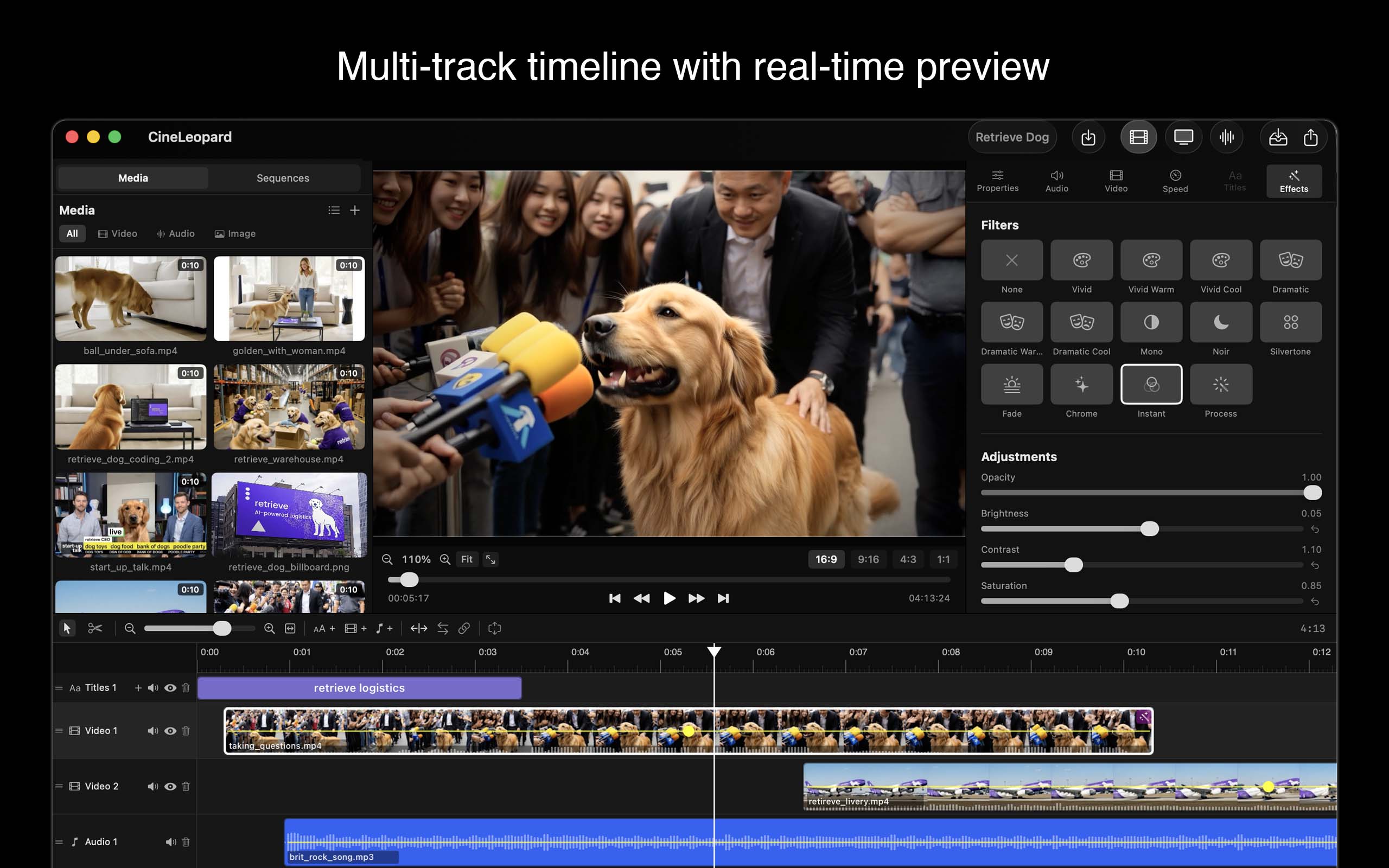
Multi-track timeline with real-time preview and customizable colors
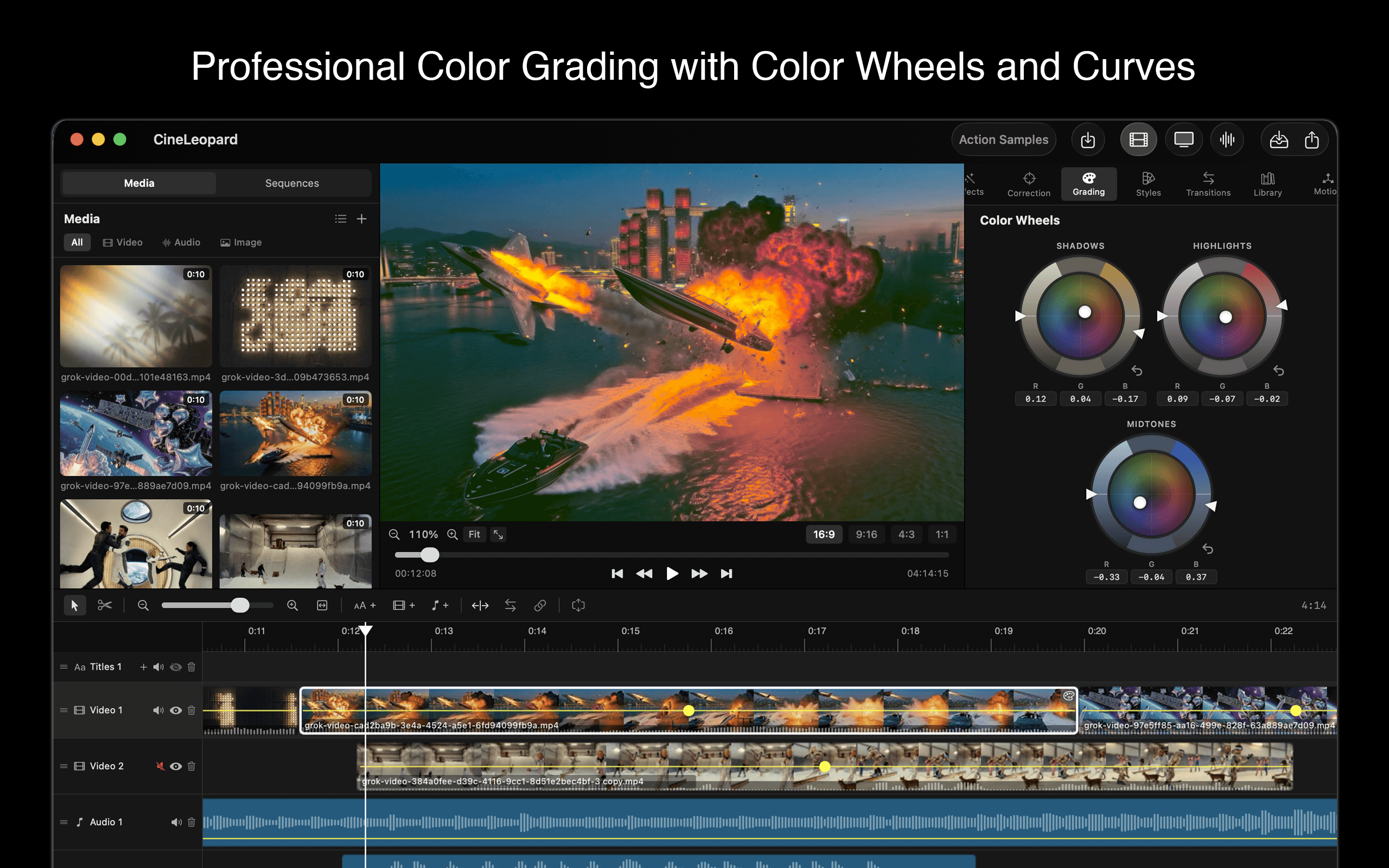
Professional color grading with redesigned color wheels
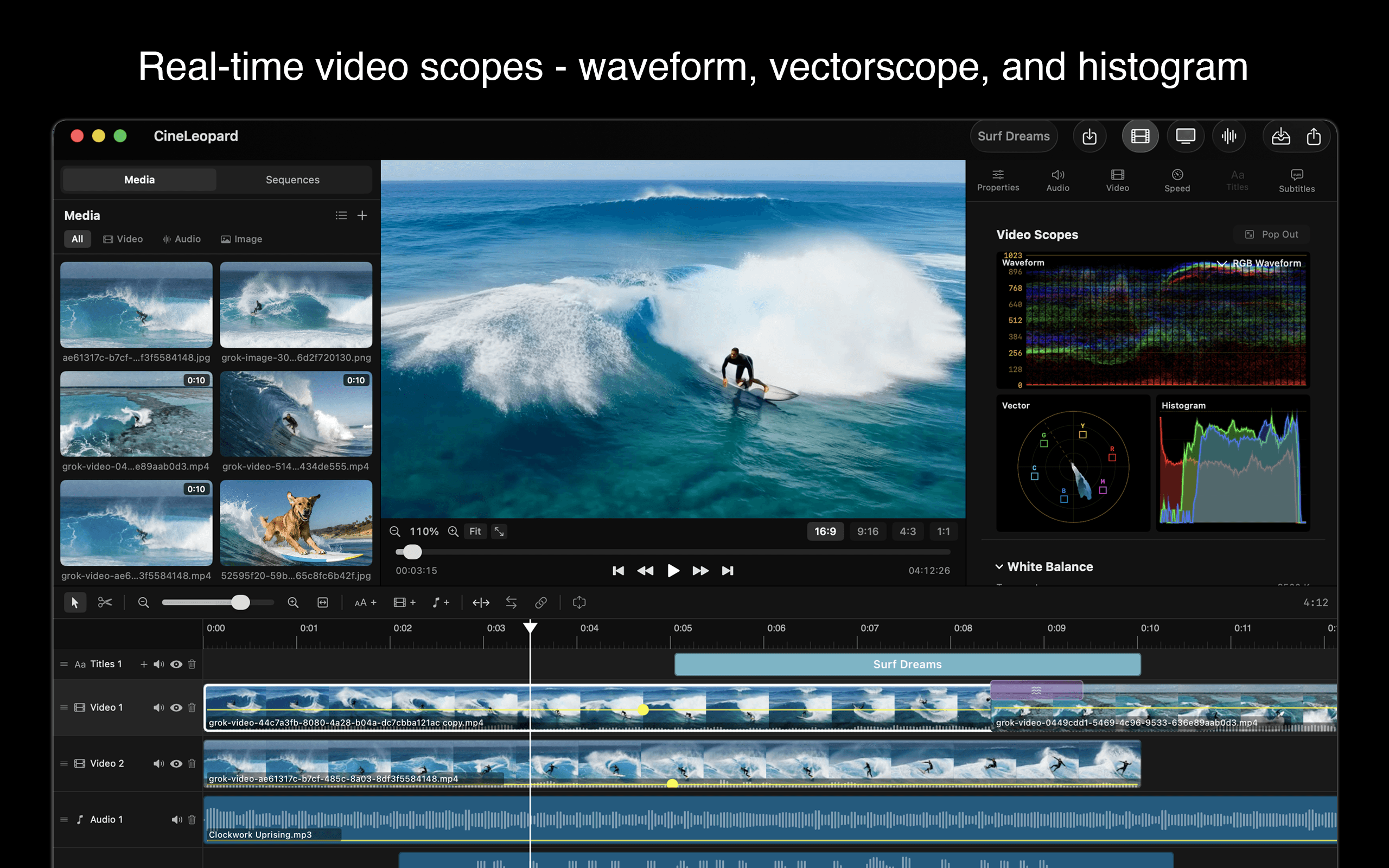
Real-time scopes — Luma, RGB Waveform, RGB Parade, and Vectorscope
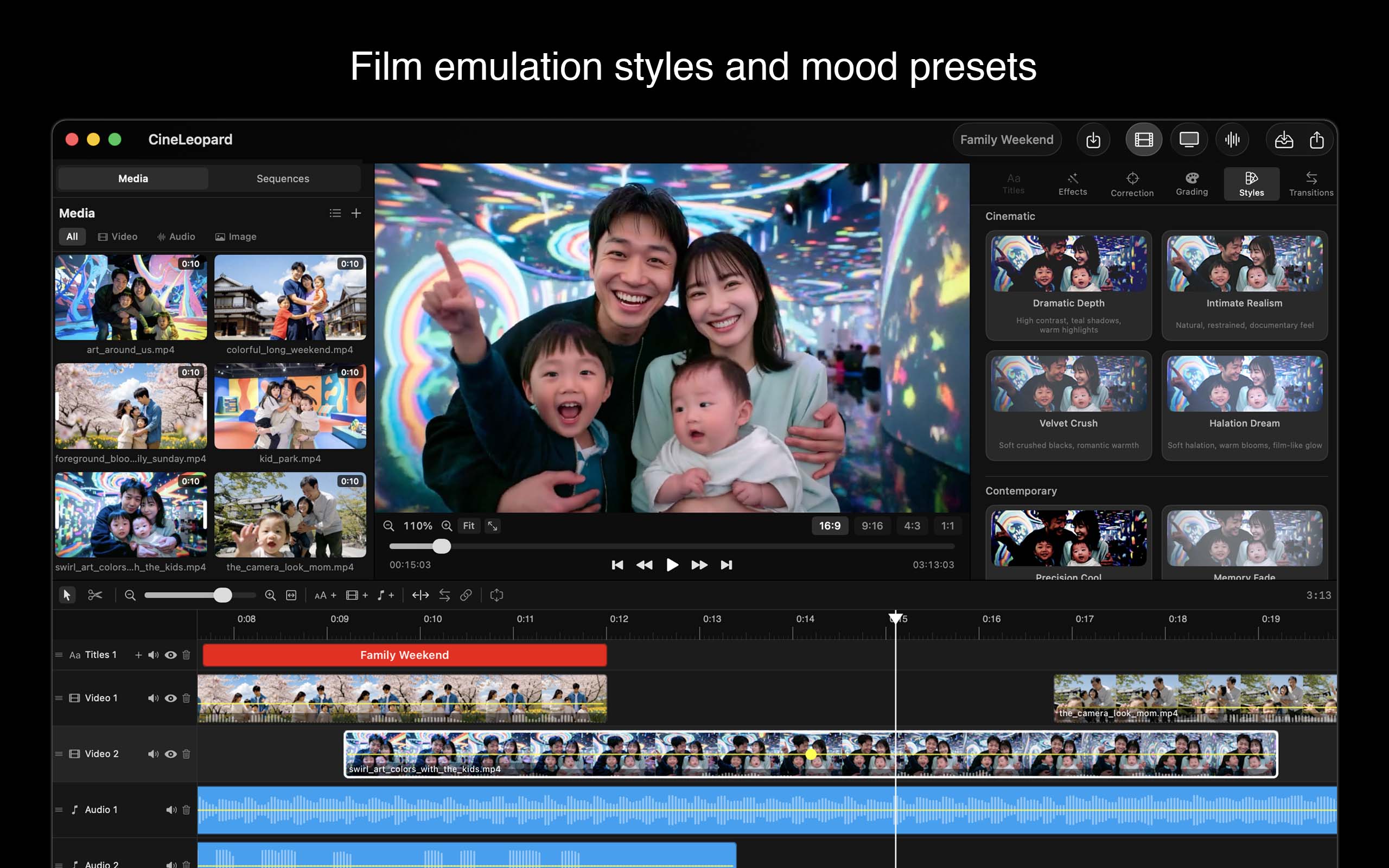
Film emulation styles and mood presets
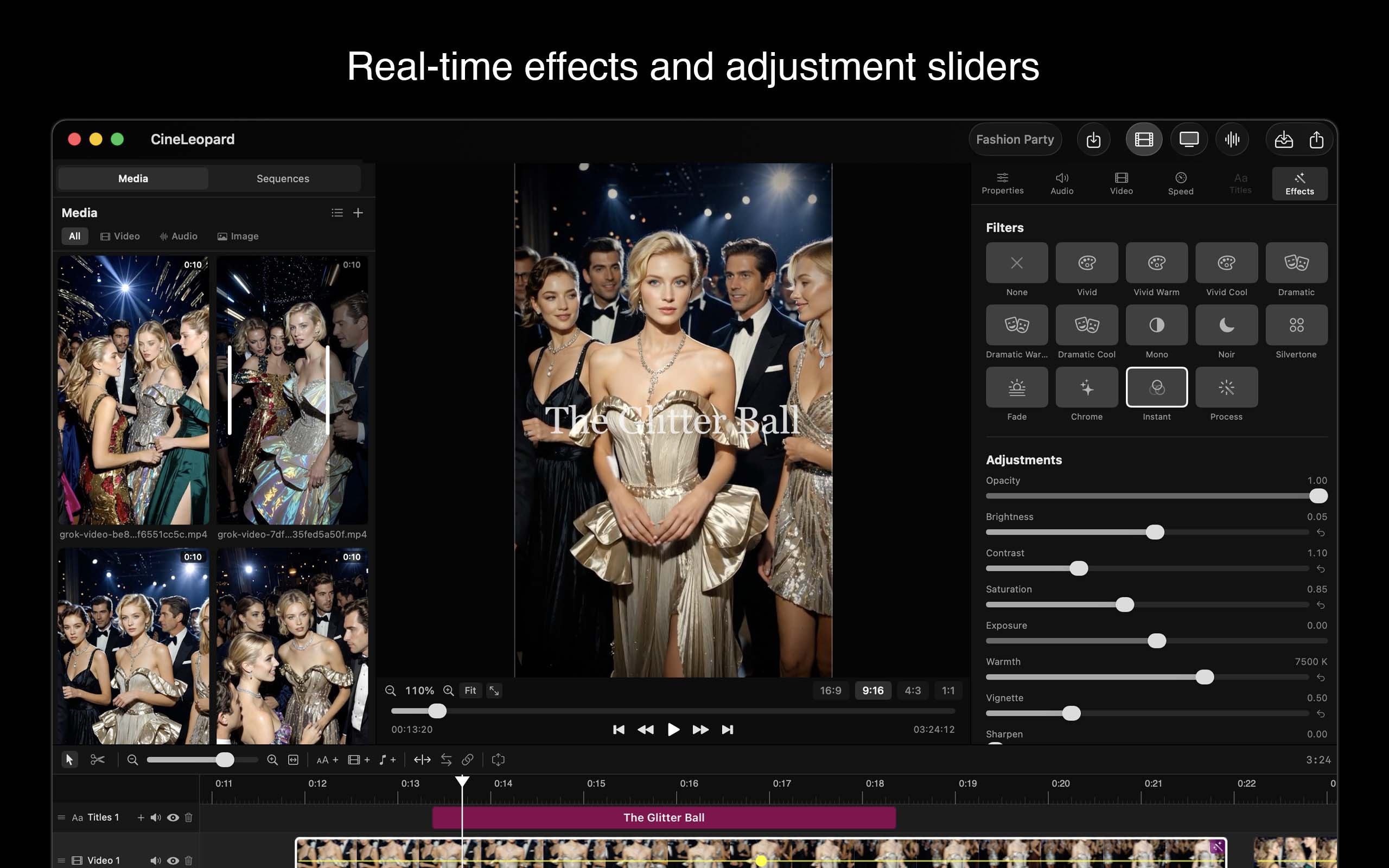
Real-time effects and adjustment sliders
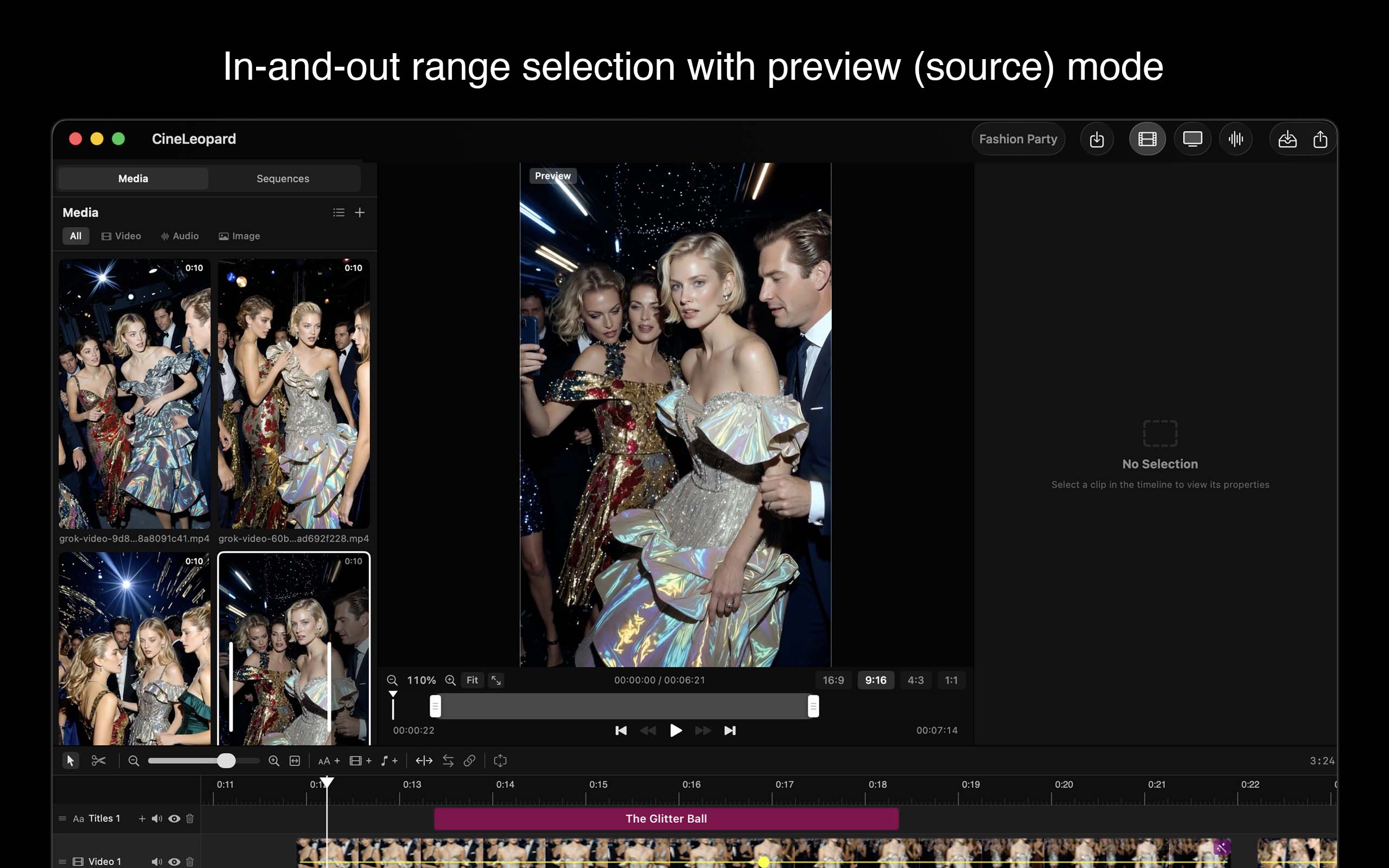
In-and-out range selection with preview (source) mode
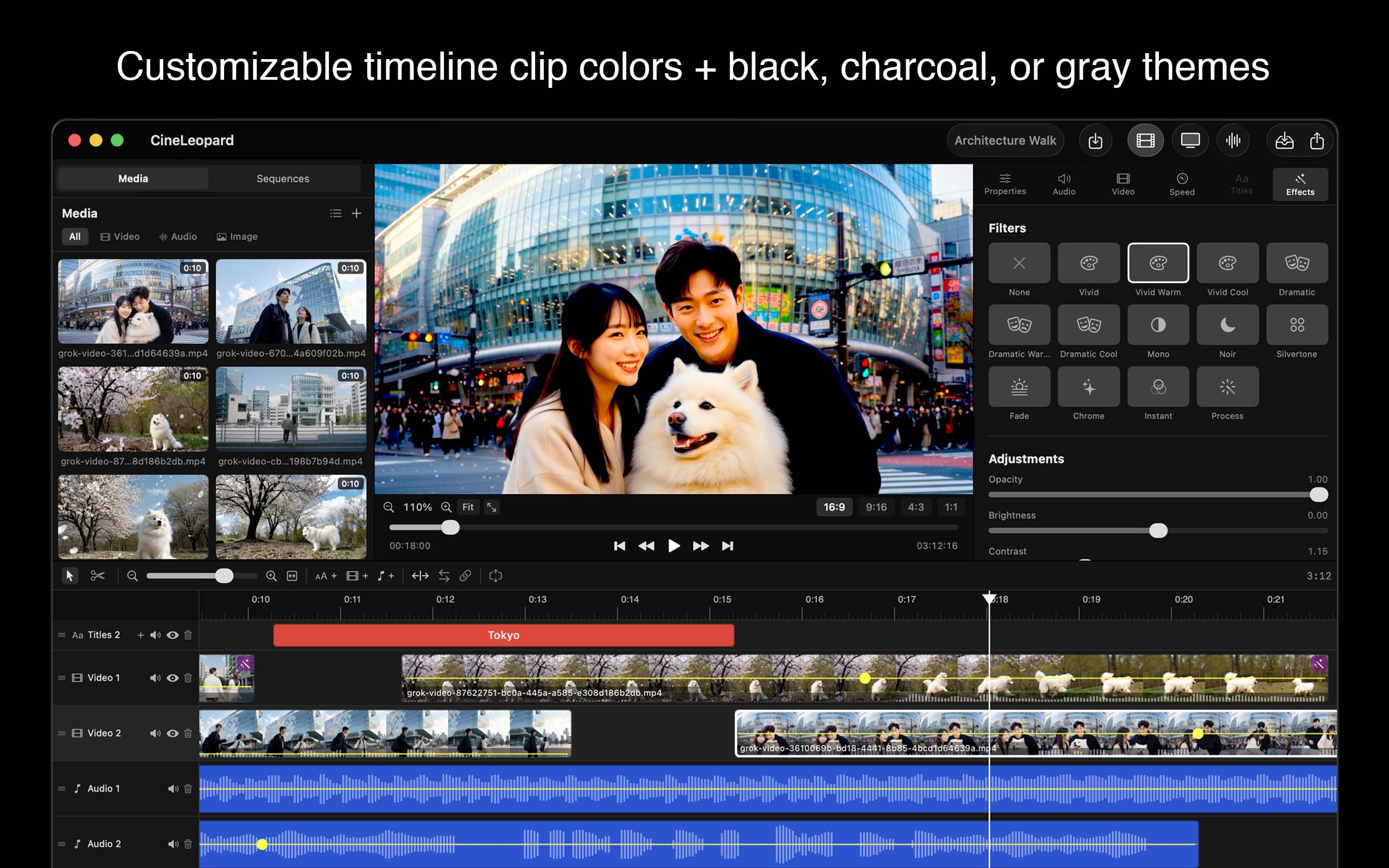
Customizable interface themes
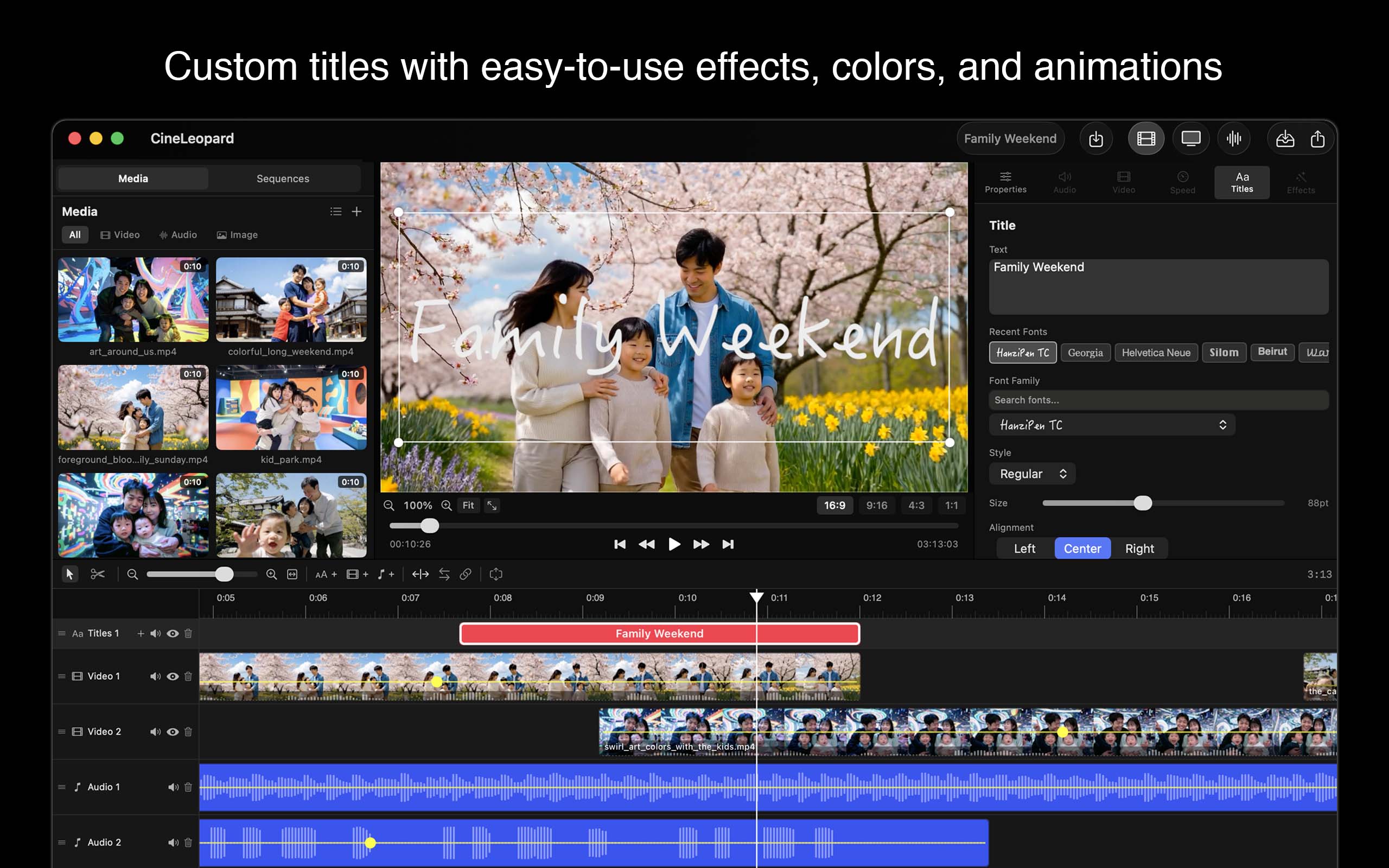
Custom titles with easy-to-use effects, colors, and animations
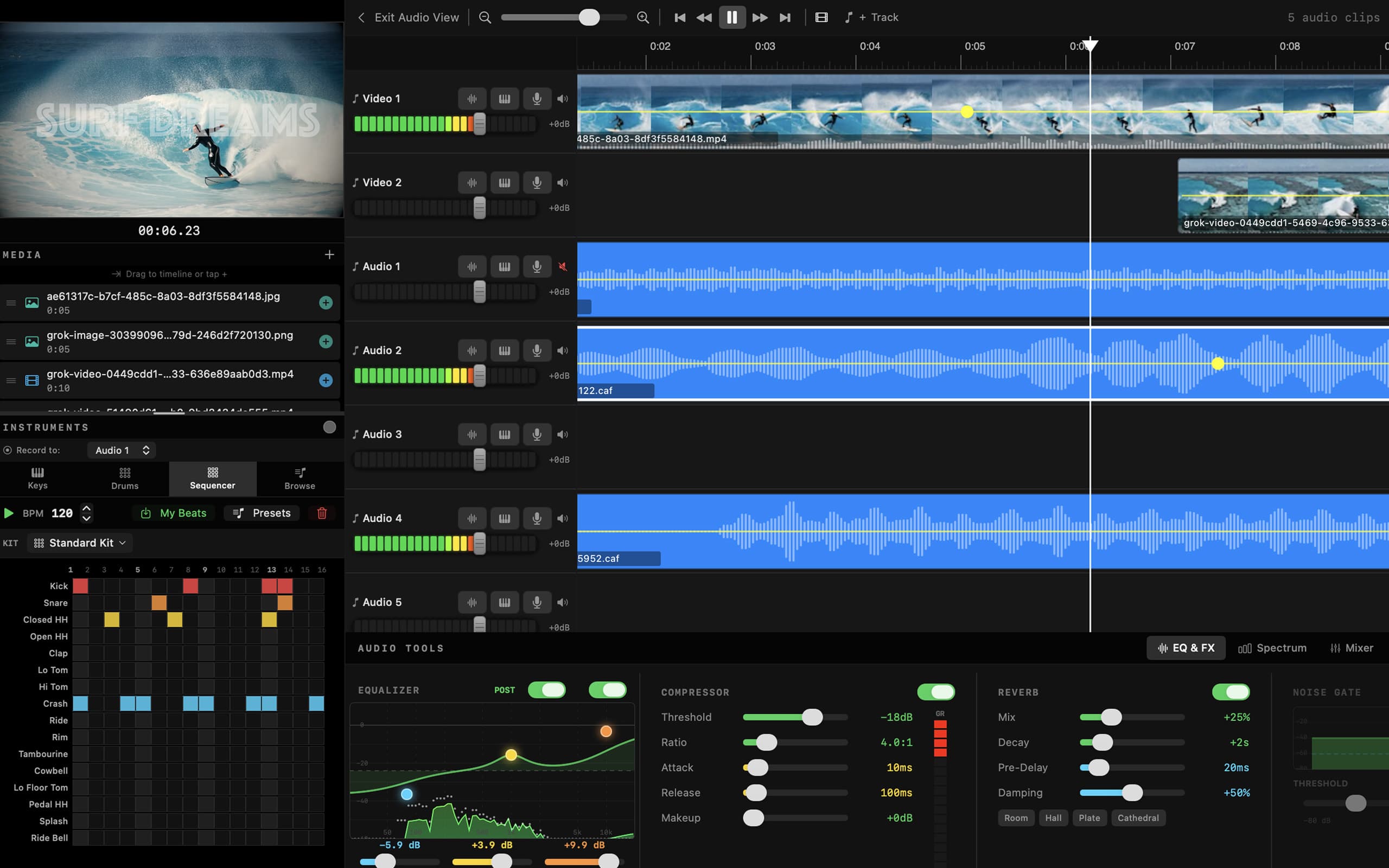
Dedicated audio workspace with channel strip mixer, EQ, and effects
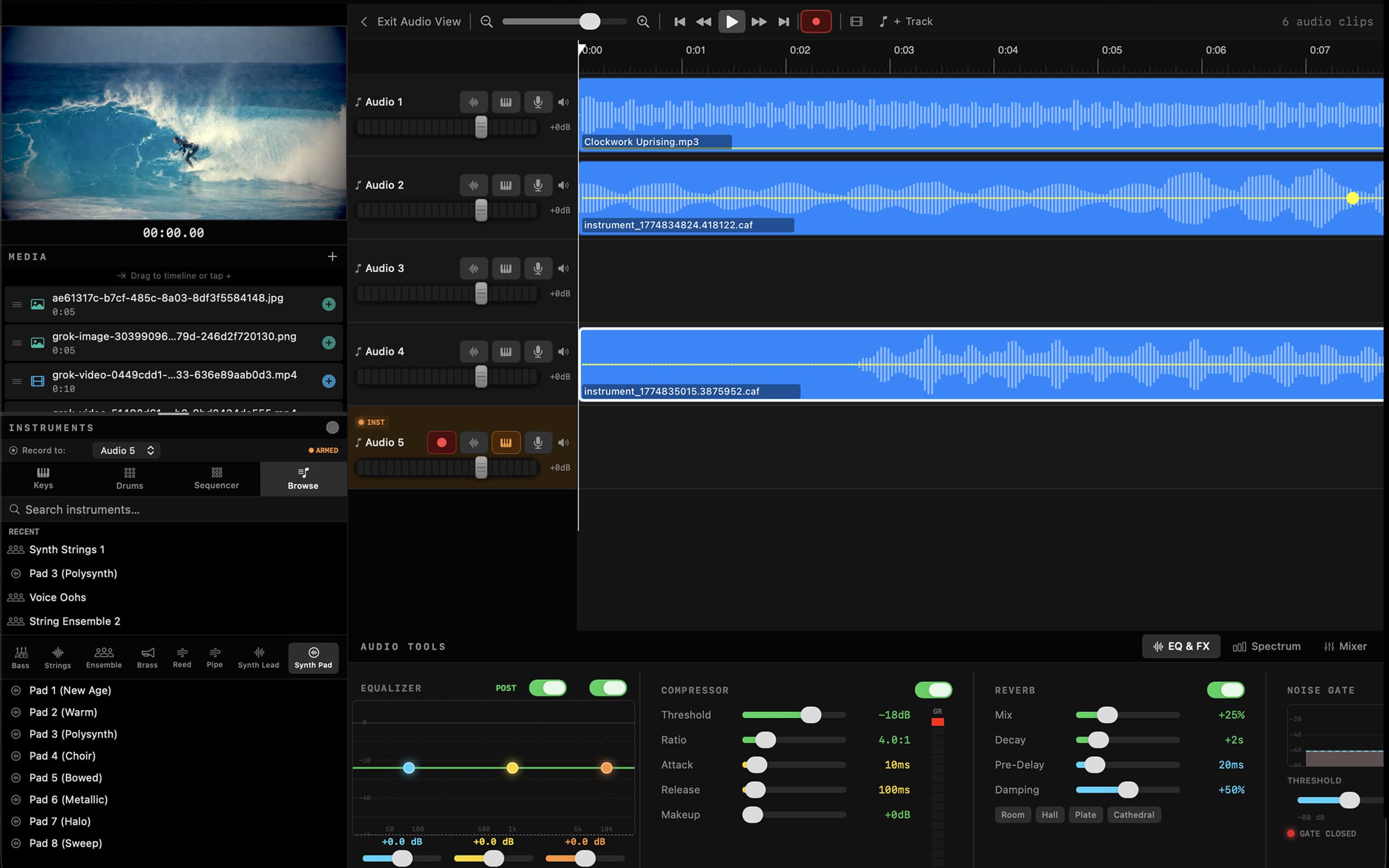
Built-in instruments and beat sequencer with external MIDI and mic recording
Features
Multi-Track Timeline
Video, audio, and title tracks on a free-form timeline. Drag, trim, split, and arrange clips with snap-to guides, markers, and in/out range selection.
Real-Time Effects & Transitions
Thirteen built-in effects — Vivid, Dramatic, Noir, and more — plus manual sliders for brightness, contrast, saturation, exposure, warmth, vignette, and sharpen. Ten transition types — including four new cinematic moves: swipe, push, whip pan, and a light leak with five color presets — all with adjustable overlap.
Keyframe Animation
Animate position, scale, rotation, and opacity over time with keyframes and easing curves — linear, hold, and ease in/out/in-out. A familiar stopwatch-style Motion workflow for moving graphics, dynamic reframing, and picture-in-picture moves.
Transparent Video & Alpha Overlays
Import clips that carry an alpha channel — ProRes 4444, HEVC with alpha, and PNG image sequences — and layer them over your footage. Drop in lower-thirds, light leaks, logos, and motion graphics that keep their transparency.
One-Click Effects Library
Browse and apply effects, transitions, LUTs, and alpha overlays from a single Library panel — no need to open each configuration tab to try a look.
Professional Color Grading
Redesigned color wheels for shadows, midtones, and highlights plus a primary correction wheel for fast, precise grading. LUT import (.cube files), tint correction, auto color balance, and master saturation.
DaVinci-Style Scopes
Real-time video scopes for accurate grading — Luma Waveform, RGB Waveform, RGB Parade, and Vectorscope, all rendered live as you work.
Grading Stills & LUT Export
Save a thumbnail snapshot of any grade — now including color correction — and apply it to other clips with one click. Bake any grade out to a .cube LUT file to reuse it anywhere.
Audio Workspace & Mixing
Dedicated Fairlight-style audio view with channel strip mixer, 3-band EQ, compressor with presets, noise gate, peak and LUFS normalization, and per-clip volume envelopes.
Built-In Instruments & Beat Sequencer
Music creation with SoundFont GM instruments, on-screen piano keyboard, 4x4 drum pads, 16-step beat sequencer with preset patterns, hardware MIDI controller support, and external USB interface mic recording support. Score music in real time while watching your video.
MIDI & Audio Export for AI Workflows
Export MIDI files and individual audio clips, process them through external AI audio models to create professional-sounding recordings, then bring them back into your project. A seamless bridge between composition and production.
Automatic Captioning
Automatic subtitle/caption generation using Apple Speech Recognition. Results are a helpful starting point and may require manual editing for accuracy.
Multi-Sequence Editing & Program Timeline
Organize your project into multiple sequences. Nest sequences inside other timelines. Assemble everything on the Program timeline for final output with overlay tracks for titles and interstitials.
Platform-Ready Export
Export to H.264/MP4, HEVC/MOV, and ProRes/MOV. Built-in presets for YouTube, Instagram Reels, TikTok, X, and more — with codec, bitrate, and quality overrides. Safe zone overlays for vertical and horizontal platforms.
Why CineLeopard
CineLeopard was built because existing editors are either too simple or buried under features most creators never touch. It's made for creative and independent filmmakers who want straightforward, aesthetically-aligned tools — whether you work with short-form content, AI-generated video, or motion graphics, you need a tool that does the essentials exceptionally well without getting in the way.
Every line of code is native Swift and AVFoundation. No Electron. No web views. No third-party dependencies. The result is an editor that launches fast, renders in real time, and respects your system's resources.
The built-in instruments and MIDI support let you score music while watching your edit. Export your MIDI or audio clips to refine them with external AI audio tools, and then bring them back to CineLeopard — a workflow designed for how creators actually work today.
Our goal is to deliver an exceptional editing experience at an exceptional value — staying focused on what creators and independent filmmakers actually need, building new tools that expand creativity and customization, and growing the app alongside the people who use it.
System Requirements
What's Included
Pricing
7-Day Free Trial
$7.99/ month
Full access to every feature. Cancel anytime.
Subscriptions are billed and managed through the Mac App Store. Your trial converts to a paid subscription automatically unless cancelled at least 24 hours before it ends.
Frequently Asked Questions
How much does CineLeopard cost?
CineLeopard is $7.99 per month with a 7-day free trial for new subscribers. The current subscription includes full access to our current, expansive array of premium tools.
What happens after the 7-day free trial?
Your subscription renews automatically at $7.99 per month unless you cancel. You can cancel anytime during the trial and you will not be charged. Cancel at least 24 hours before the trial ends to avoid the first charge.
How do I cancel my subscription?
Open System Settings on your Mac, click your Apple ID, then Subscriptions, and cancel CineLeopard. You can also click "Manage Subscription" in the Subscription tab of CineLeopard’s Settings, which opens the App Store directly. Your access continues until the end of the current billing period.
Can I get a refund?
Refunds are handled by Apple. Visit reportaproblem.apple.com, sign in with your Apple ID, and request a refund for your CineLeopard subscription. We do not process refunds directly because we never receive payment information.
I bought CineLeopard before — do I need to subscribe?
No. Customers who purchased the original one-time version of CineLeopard retain lifetime access to all current features at no additional cost. The app detects your original purchase automatically — no action is required from you.
Why does CineLeopard require a subscription?
The subscription model helps us continue to build new features, fix bugs, and respond to user feedback over the long term — with the goal of delivering more value than other subscription video editors at this price, while staying focused on the needs of creative and independent filmmakers.
Do I need an account or login?
No. CineLeopard does not require account creation or login. Your subscription is tied to your Apple ID and verified locally on your Mac via Apple’s StoreKit framework. Nothing is sent to our servers.
Is my work stored on your servers?
No. All editing, rendering, and project storage happens entirely on your device. CineLeopard has no servers and contains zero third-party dependencies. Your media never leaves your Mac.